

Fresnel vs Lenticular: Which screen is best for UST projectors?
Amber Stefanson | Feb. 10, 2026
When it comes to ultra-short throw (UST) projectors, choosing the right screen is just as important as choosing the projector itself. The screen directly impacts brightness, perceived contrast, sharpness, and overall viewing experience. Yet, it’s often overlooked.
The right screen can turn your projector into a real OLED TV alternative with vibrant colors you can enjoy in any lighting. It can make the difference between a truly beautiful image and a disappointing one that you can barely see during the day.
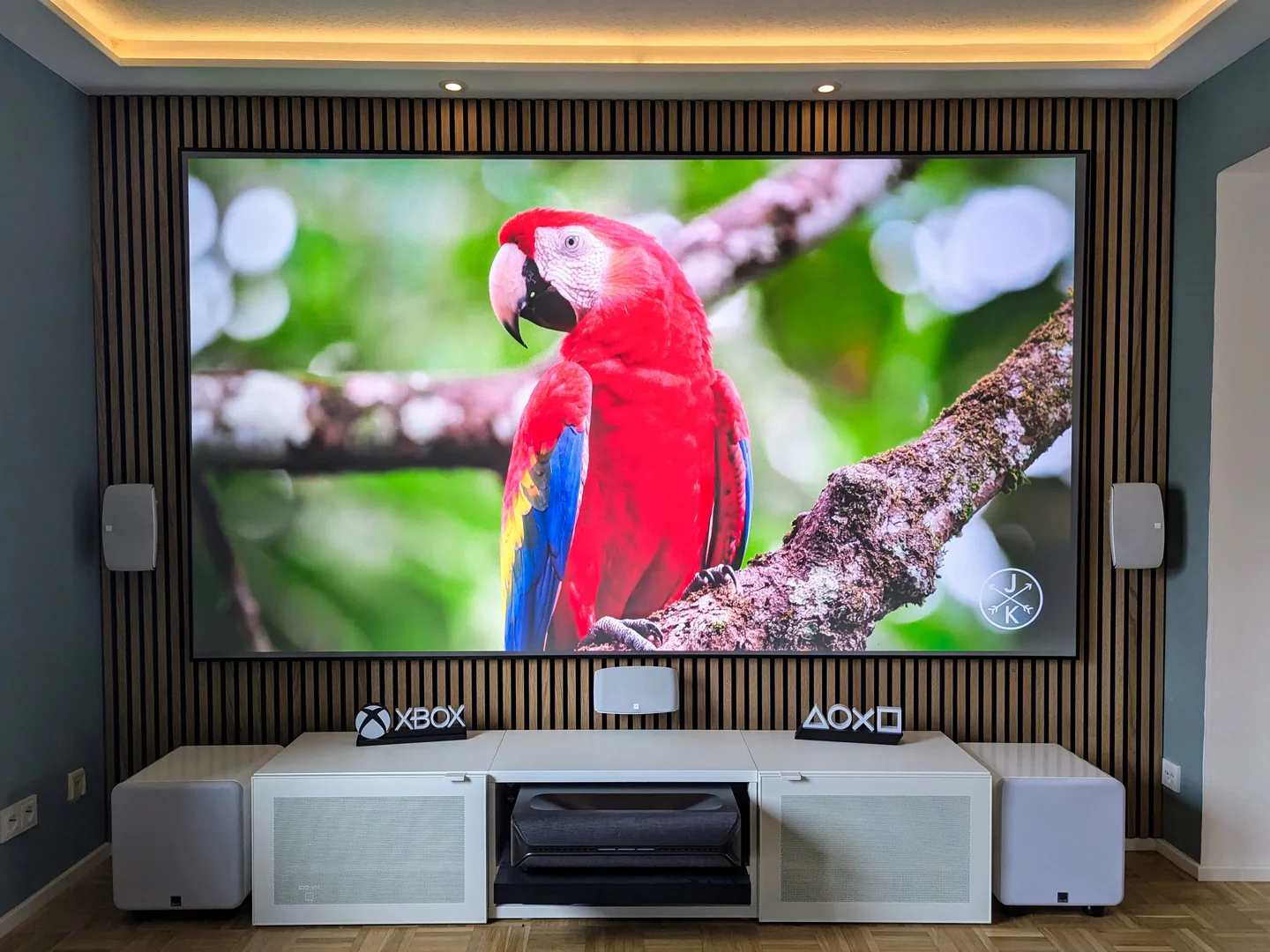
With a Fresnel screen

Without a screen
But which type of screen is best to get for a UST projector?
The answer depends on many factors: your space, the time of day, how big you want your screen to be, and whether you have a laser, tri-laser, or LED projector.
Planning to watch during the day in a bright room? You’ll want a Fresnel screen for its ability to cancel out ambient light and significantly increase perceived contrast.
Watching in a dark room on a Pure RGB laser projector? You might prefer a Lenticular screen, since this will mitigate any laser speckle.
In this article, I’ll walk you through the different screen options for UST projectors (Lenticular, Fresnel, CLR, and ALR), the pros and cons of each, and other factors to consider when you’re shopping for a projector screen.
Key Points
Fresnel screens are better for high contrast, increased brightness, and viewing during the day
Lenticular screens are better for reducing laser speckle and floor-rising or ultra-large screens
NexiGo has just released the world’s first seamless 150” Fresnel screen, bringing high-impact contrast and brightness to bigger screens
ALR screens boost contrast by increasing perceived brightness and lowering black levels by canceling out light from directions other than the projector
Without a light-rejecting screen, UST projectors have lower perceived contrast, more distortion, and worse viewing during the day.
Why does screen choice matter for UST projectors?
Because UST projectors project up at a very sharp angle and highlight any imperfections in the screen, they require a little extra care when it comes to screen choice.
USTs exaggerate wrinkles & ripples in your screen
Because of the sharp angle, any wrinkles or slack in your screen can cause ripples and shadows in the projection.
Because of this, you’ll want a projector with a fixed frame or tension tabs to make sure that the tension is tight and even throughout the whole screen.
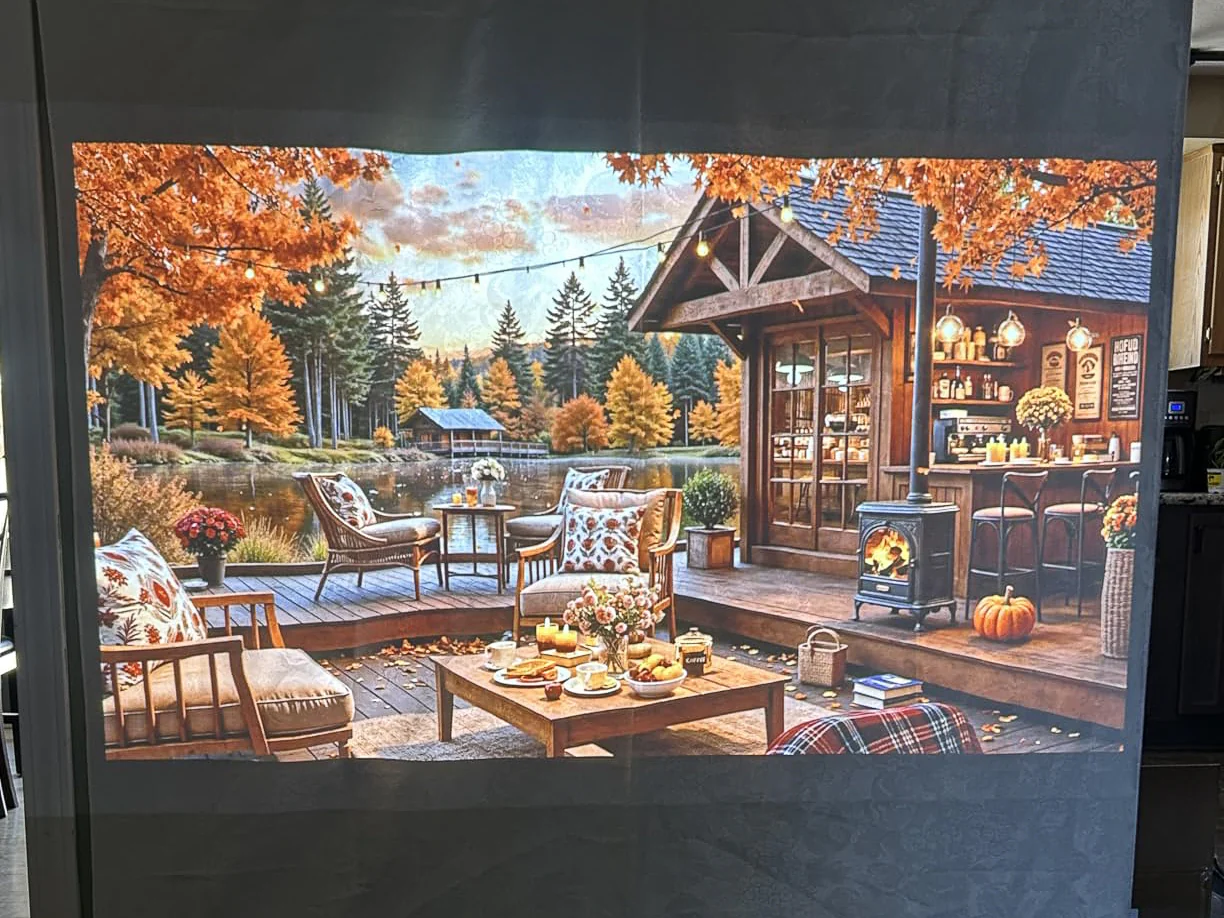
Standard projectors smooth over wrinkles and ripples
(customer photo)
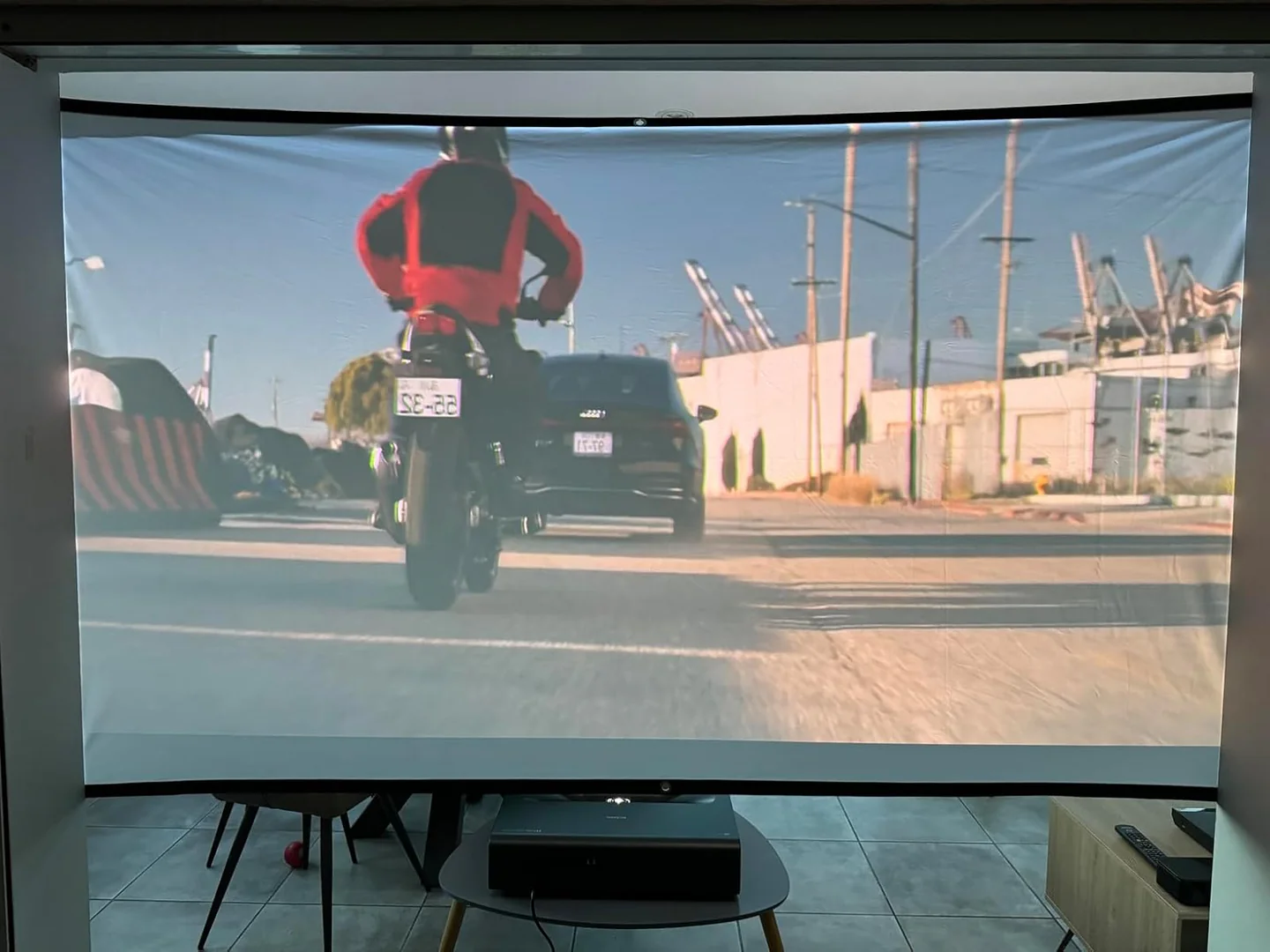
UST projectors highlight ripples, warping and casting heavy shadows
(customer photo)
USTs look better on a light-rejecting screen
The advantage to the sharp projection angle is that it’s easier to cancel out ambient or ceiling light if you choose an ambient light rejecting (ALR) or ceiling light rejecting (CLR) screen.
This is because with a UST projector, the projection and any ambient light are coming from different directions. That makes it easy to single out the ambient light and block it. Without that extra light to wash out the projection, the picture quality dramatically improves.
Choosing an ALR/CLR screen significantly increases perceived contrast by lowering black levels and amplifying highlights. If you choose a matte white screen that doesn’t block out any ambient light, you’re leaving contrast, brightness, and color saturation on the table.
Check out the comparison below; even in a dimly lit room, the blacks on the matte white screen appear dark gray, while the shadows on the light-rejecting screen are inky black.

With a light–rejecting screen, in a dark room
(customer photo)

With a light–rejecting screen,
in a bright room
(customer photo)
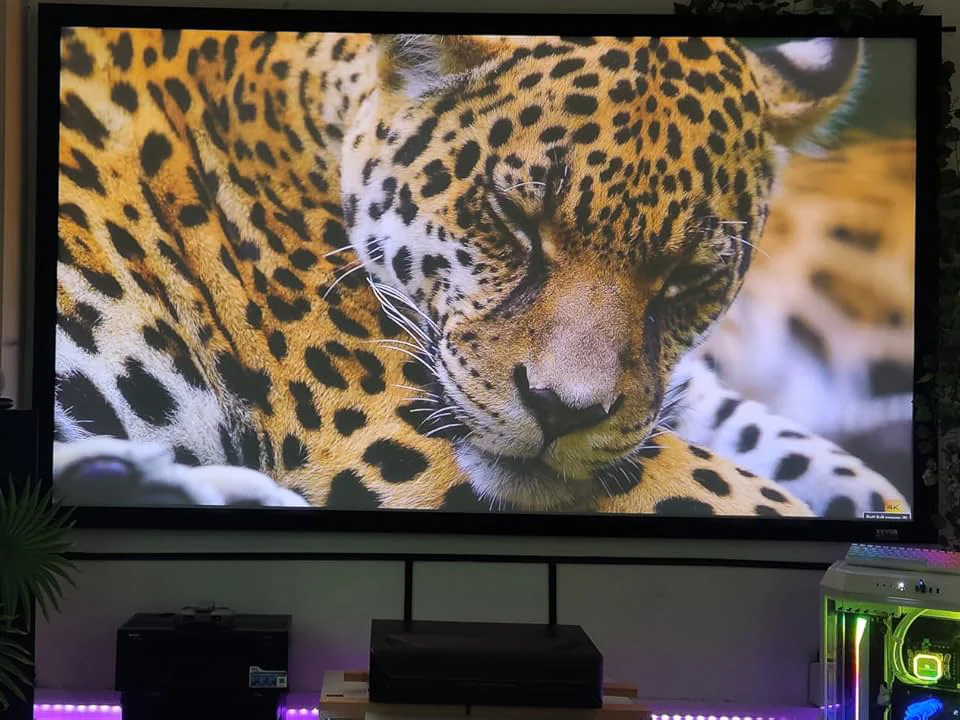
With a matte white screen, in a dark room
(customer photo)
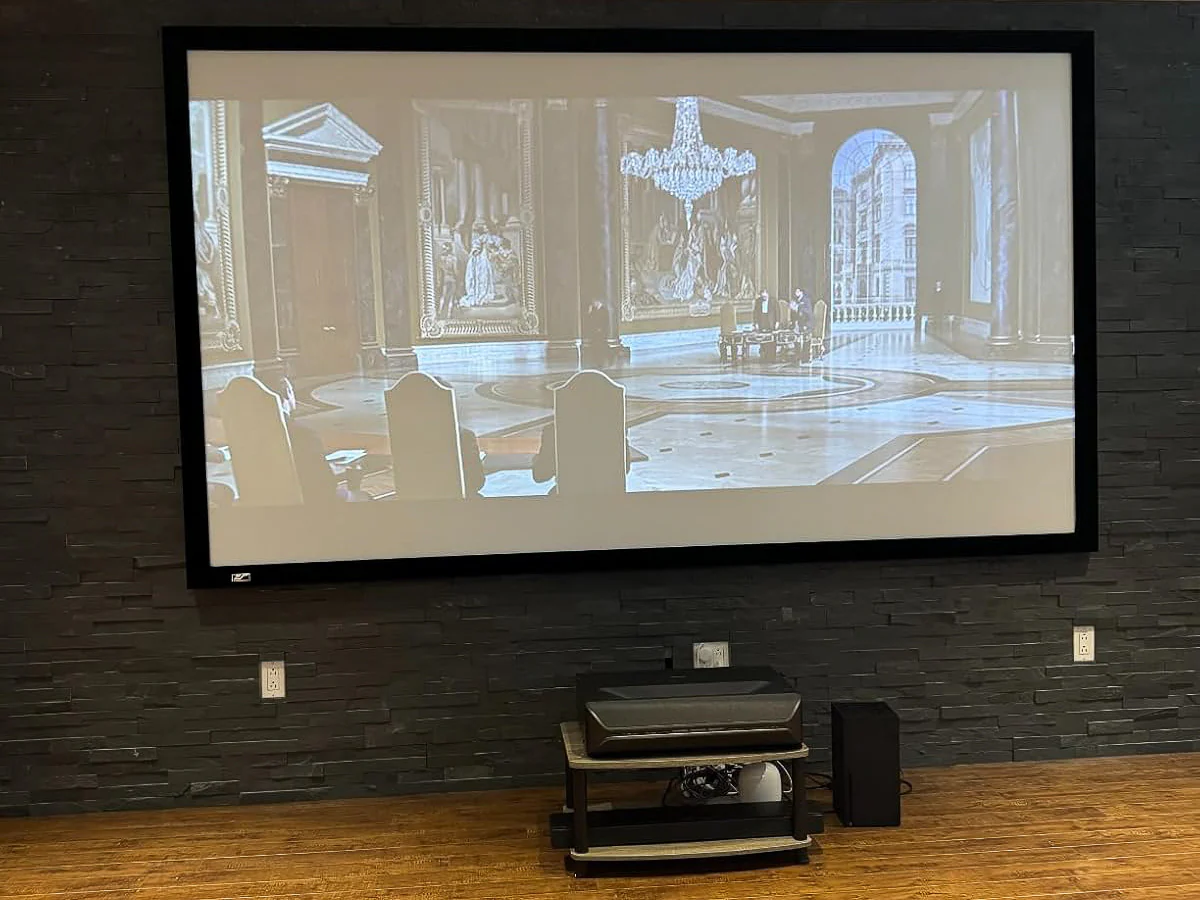
With a matte white screen,
in a bright room
(customer photo)
What Is a Ceiling Light Rejecting (CLR) Projector Screen?
Ceiling light-rejecting (CLR) screens, also known as Lenticular screens, block light coming from above using a sawtooth structure.
The top of the sawtooth is black ambient light coming from the ceiling, while the bottom of the sawtooth is bright to reflect the light coming from the UST projector. This increases the perceived contrast of your projector by blocking light coming from ceiling fixtures, skylights, and even light from around the room bouncing off of your white ceiling.
However, without a structure to block light coming from the side, CLR screens are unable to block any ambient light bouncing off your walls or coming from your windows and lamps.
What Is an Ambient Light Rejecting (ALR) Projector Screen?
Ambient light rejecting (ALR) screens, which often use a Fresnel structure, can block ambient light and ceiling light. In the case of Fresnel screens, this is thanks to the concentric circles that make up the screen surface.
From a distance, Fresnel screens look gray, but up close you can just begin to make out the layers of texture that combine to form its signature high-contrast look. Like Lenticular screens, Fresnel screens use a screen material microstructure that is black on one side to absorb unwanted light.
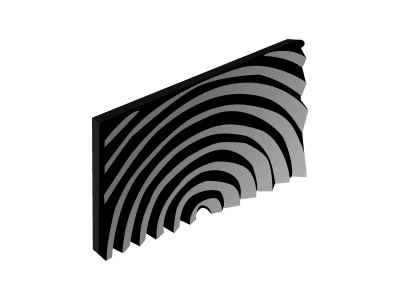
Fresnel screens are made up of concentric circles
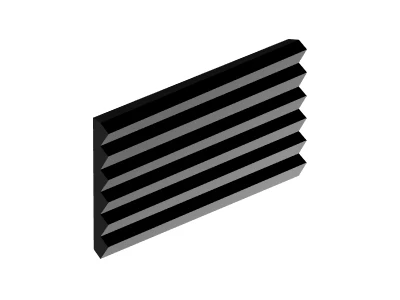
Lenticular screens are made up of a sawtooth structure
The concentric circles that make up a Fresnel screen are black on the top and sides to block ambient light, while they’re white on the underside to amplify the projection and reflect it towards the viewer.
This boosts the highlights while lowering the black levels substantially. Depending on the gain of the Fresnel screen, it can also make the projector appear brighter overall.
What is screen gain and how does it affect brightness?
Screen gain is a measure of how much light is reflected by the surface of the screen. The higher the screen gain, the more light is reflected off of the surface of the screen and, as a result, the brighter the projection appears to be.
It’s best to shop for a screen with a gain that’s best suited for your space and what time of day you’re planning to watch.
A high or neutral screen gain is vital if you ever plan to watch your projector with the lights on, but if you only watch in the dark, you might prefer a lower gain for better shadows.
Screen Gain | Range | Recommended For | Disadvantage |
|---|---|---|---|
| Low Gain | 0.5–0.9 | Dark rooms; low black levels | Dimmer highlights |
| Neutral Gain | 1.0–1.4 | Balanced brightness and color accuracy; rooms with some ambient light | Not ideal for very bright rooms |
| High Gain | 1.0–1.4 | Bright rooms with a lot of ambient light | Prone to glare; may cause eye strain |
Daylight vs Cinematic Fresnel Screens
The latest generation of NexiGo’s ultra-short throw Fresnel screens come in two varieties: daylight and cinematic. Each screen features a different screen gain, making them optimized for different viewing conditions.
Cinematic | Daylight | |
|---|---|---|
| Peak Gain | 1.3 | 1.8 |
| Recommended For | Watching with the lights off | Watching during the day or with the lights on |
| Black Level Improvement | Enhanced black depth (5x improvement over typical ALR) | Ultra black contrast (8x improvement over typical ALR) |
| Ambient Light Resistance | 85% | 85% |
| Viewing Angle | 150° (Optimal viewing within 90°) | 150° (Optimal viewing within 90°) |
Daylight Fresnel Screens
Daylight screens are designed for bright spaces. If you watch during the day in a living room without blackout curtains, the Daylight Fresnel screen is a better choice.
At a 1.8 gain, it’s highly reflective — bouncing back the light from the projector and making it look even brighter. This counteracts the effects of sunlight, making your projector look beautiful rather than washed-out.
Cinematic Fresnel Screens
Cinematic screens are designed for use in a dark room. In a dedicated home theater with the lights turned off, it offers a 5x contrast improvement over typical ALR screens.
This is thanks to its 1.3 gain, which gently amplifies highlights without losing shadows. It also preserves color accuracy, making your favorite movies more cinematic and immersive.
Pros & Cons of Lenticular (CLR) Screens
Lenticular screens have been long recommended as the best screens for ultra-short throw projectors, and this is mostly because:
They help mitigate laser speckle from pure RGB laser projectors
They are widely available in large sizes
Floor-rising screen designs are almost exclusively lenticular
However, with recent advancements in Fresnel technology, this may no longer be the case. Let's dive into what made Lenticular the better choice, and how that's changing.
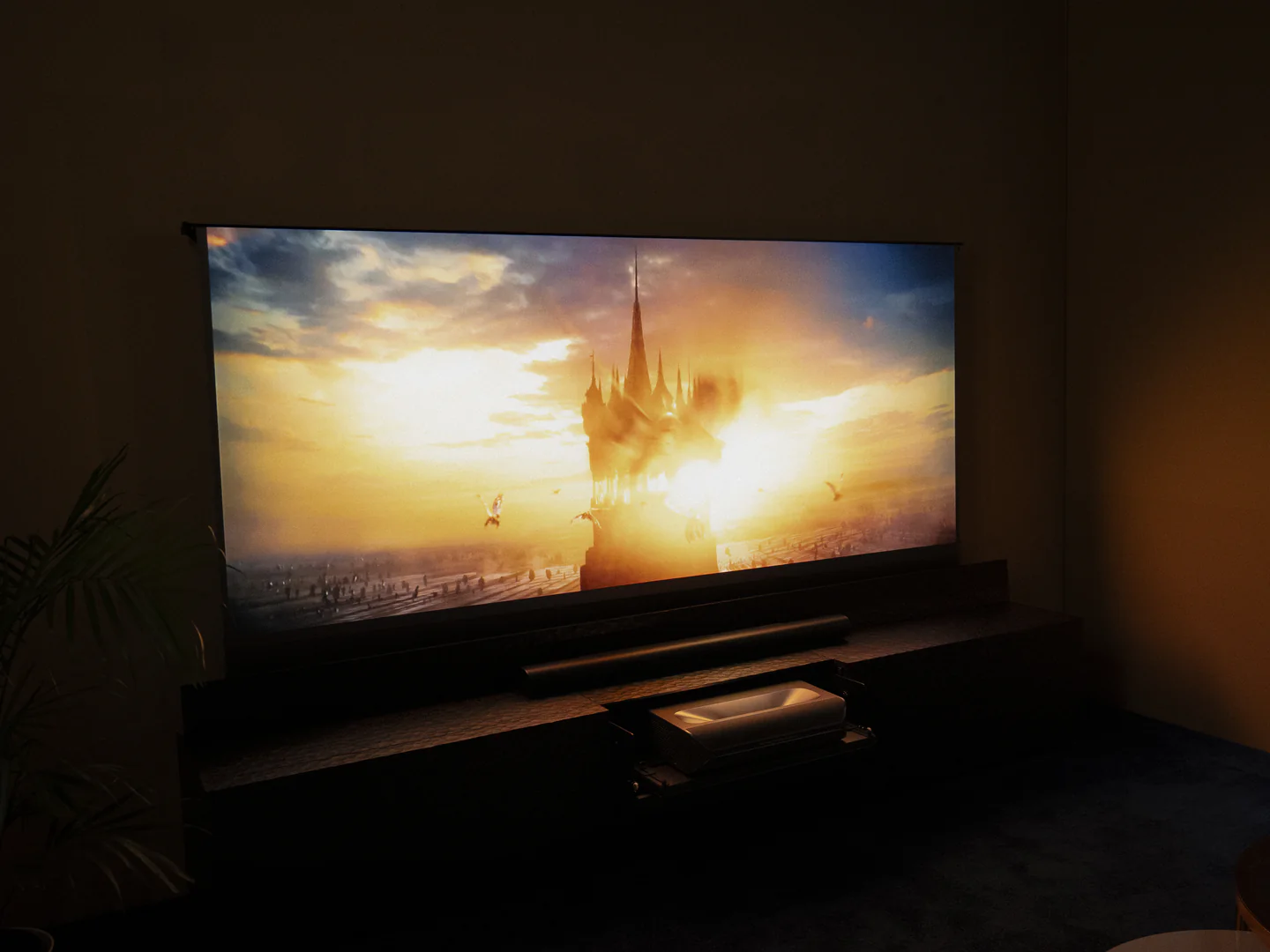
NexiGo's floor-rising Lenticular screen
Lenticular screens have been long recommended as the best screens for ultra-short throw projectors, and this is mostly because:
They help mitigate laser speckle from pure RGB laser projectors
They are widely available in large sizes
Floor-rising screen designs are almost exclusively lenticular
However, with recent advancements in Fresnel technology, this may no longer be the case. Let's dive into what made Lenticular the better choice, and how that's changing.
Pro: Reduces laser speckle
Lenticular screens help reduce laser speckle from pure RGB laser projectors. Laser speckle is a visual defect when the laser hits the surface of the screen and scatters. It looks a bit like digital noise or TV static, and it’s more common to see on Fresnel screens or on a plain wall.
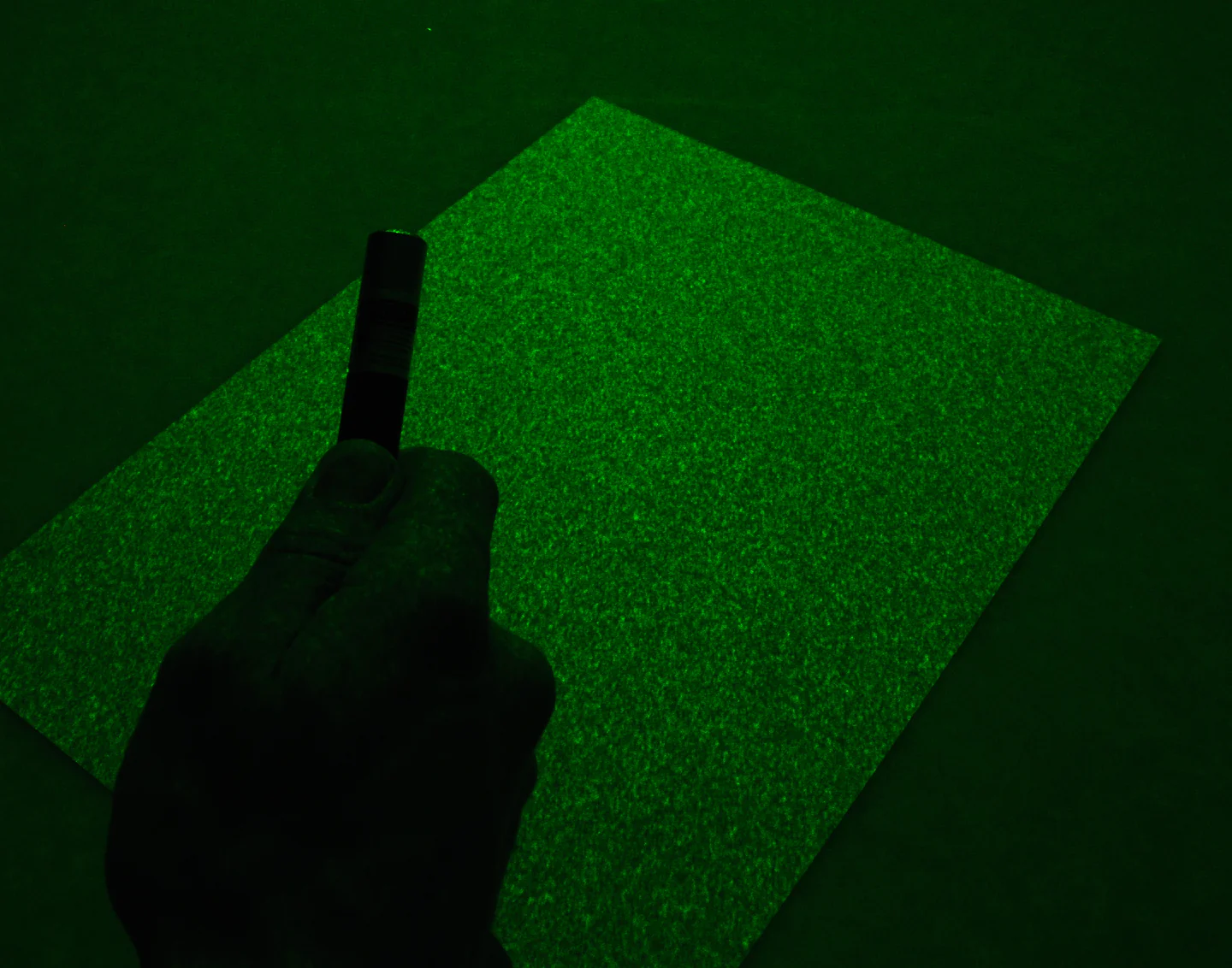
Laser speckle looks like digital noise (Credit: Simon A. Eugster)
With the latest generation of projectors, laser speckle is less of an issue. The NexiGo Aurora Pro MKII reduces speckle with software-based enhancements, and the NexiGo TriVision Ultra eliminates it altogether by combining tri-color laser and tri-color LED into a powerful hybrid light source.
Laser Speckle by Projector and Screen Type
Projector | Lenticular Screen | Fresnel Screen |
|---|---|---|
| NexiGo Aurora Pro MKII | No speckle | Minor speckle |
| Pure RGB Laser Projector | Minor speckle | High speckle |
Pro: Comes in larger sizes
Lenticular screens are readily available at larger sizes. This is because their sawtooth design can be built modularly, unlike Fresnel screens where each layer needs to be constructed in one continuous sheet.
Until recently, if you wanted anything larger than 120” for a light-rejecting screen, lenticular would be your only choice. However, recent developments in projector screen manufacturing mean that you can now get a seamless Fresnel screen at 150” across.
Pro: Available as a floor-rising solution
Lenticular screens are the only light-rejecting screen that can be used in a floor-rising unit. This is due to the inherent flexibility of the screen, which allows it to roll while still keeping its shape.
This is still the case — if you want a floor-rising screen that tucks away when you don't need it, you'll need to purchase a lenticular screen.
Con: Doesn’t block ambient light
Since Lenticular screens only block ceiling light, any light coming from lamps or open windows will lower the contrast of your projector.
If you're watching in a perfectly dark room, great — you don't need to worry about ambient light anyway. But if you like to watch during the day or with the lights on, you'll end up with a worse image when using a Lenticular screen compared to a Fresnel screen.
Con: More Difficult to clean
Due to the delicate nature of its sawtooth structure, you have to be extra careful when cleaning a Lenticular screen.
To avoid chipping or scratching the screen, you have to use a soft brush to gently clean it left-to-right only. Moving the brush up and down may damage the screen.
By contrast, Fresnel screens are much faster to clean. You can use a soft microfiber cloth either wet or dry, and use it to wipe the screen in a circular motion.
Con: Low gain only
Lenticular screens are more common in low-gain varieties. This is great for dark rooms, but can dampen highlights and lower color accuracy. In bright rooms, low gain can make the image dark and less visible.
For the best color accuracy and brightness, it's better to get a neutral gain screen. However, neutral gain can be difficult to find in a Lenticular screen. If you plan to watch with any kind of ambient light, Fresnel screens are a better option.
Pros & Cons of Fresnel (ALR) Screens
Fresnel Screens are a popular alternative to Lenticular screens, especially for anyone who wants to watch their projector during the day. Fresnel screens have a unique ability to block unwanted light, lowering black levels and revealing vibrant colors.

Colors on a Fresnel screen look vibrant even during the day (customer photo)
Pro: Best contrast and brightness
Fresnel screens block 85% or more of unwanted ambient light from reflecting off the screen while amplifying the light from the projector. This results in deeper shadows, which increases the perceived brightness of the highlights.
In real-world viewing, the Aurora Pro MKII paired with a Fresnel screen delivers brightness comparable to a 5,000-lumen projector using a Lenticular screen, while maintaining better contrast and clarity.
Pro: Better viewing during the day
Fresnel screens are the only type of screen able to block ambient light from all directions. This makes them the best pick to use during the day.
With a Fresnel screen, you can get up to 8x increase in perceived contrast compared to a Lenticular screen.
Pro: Best color accuracy
Unlike Lenticular screens which only come in low gain, Fresnel screens come in a variety of screen gains, including neutral and high gain. This means that colors are reflected back at full strength, preserving the colors with the accuracy and cinematic zest that the director intended.
By contrast, low-gain screens dampen colors in favor of lower black levels. With a Fresnel screen, you get the best of both worlds: low black levels (from increased ambient light rejection) and vibrant colors (from high screen gain).
Con: Limited viewing angle
Fresnel screens are designed to reflect light at the viewer, but absorb light from the sides. This means that when you stand directly in front of the screen, the image is bright, colorful, and high-contrast. But the closer you move to the side of the screen, the darker and lower-contrast the image becomes.
As a result of this design, Fresnel screens have a fairly narrow viewing angle. The ideal viewing angle is 90°, although the image is still usable up to 150°. By contrast, Lenticular screens look their best throughout their entire 170° viewing angle.
So if you have a larger living room and people might be watching from a side angle, Lenticular screens are a better pick for you.
Con: Fixed frame only
Due to the rigid nature of their concentric-circle structure, Fresnel screens cannot be safely rolled up or folded. For this reason, they're only available as a fixed-frame screen. If you want a floor-rising solution, Lenticular screens are a better option.
Con: Limited maximum size
Fresnel screens are built out of multiple layers of rigid, textured fabric. In order for your image to be seamless and clear, this fabric needs to be produced in one long sheet.
It's difficult to find a manufacturer capable of making a seamless Fresnel screen larger than 120". Larger screens can also be more difficult and expensive to ship. Because of this, it was only possible to get an extra-large screen if you purchased a Lenticular or matte white screen.
After a lot of searching, we finally found a manufacturer capable of making seamless Fresnel screens up to 150" at a reasonable cost. We found a sustainable shipping solution and now they're finally ready to go out.
For the first time ever, you can get a seamless 150" Fresnel screen from NexiGo.
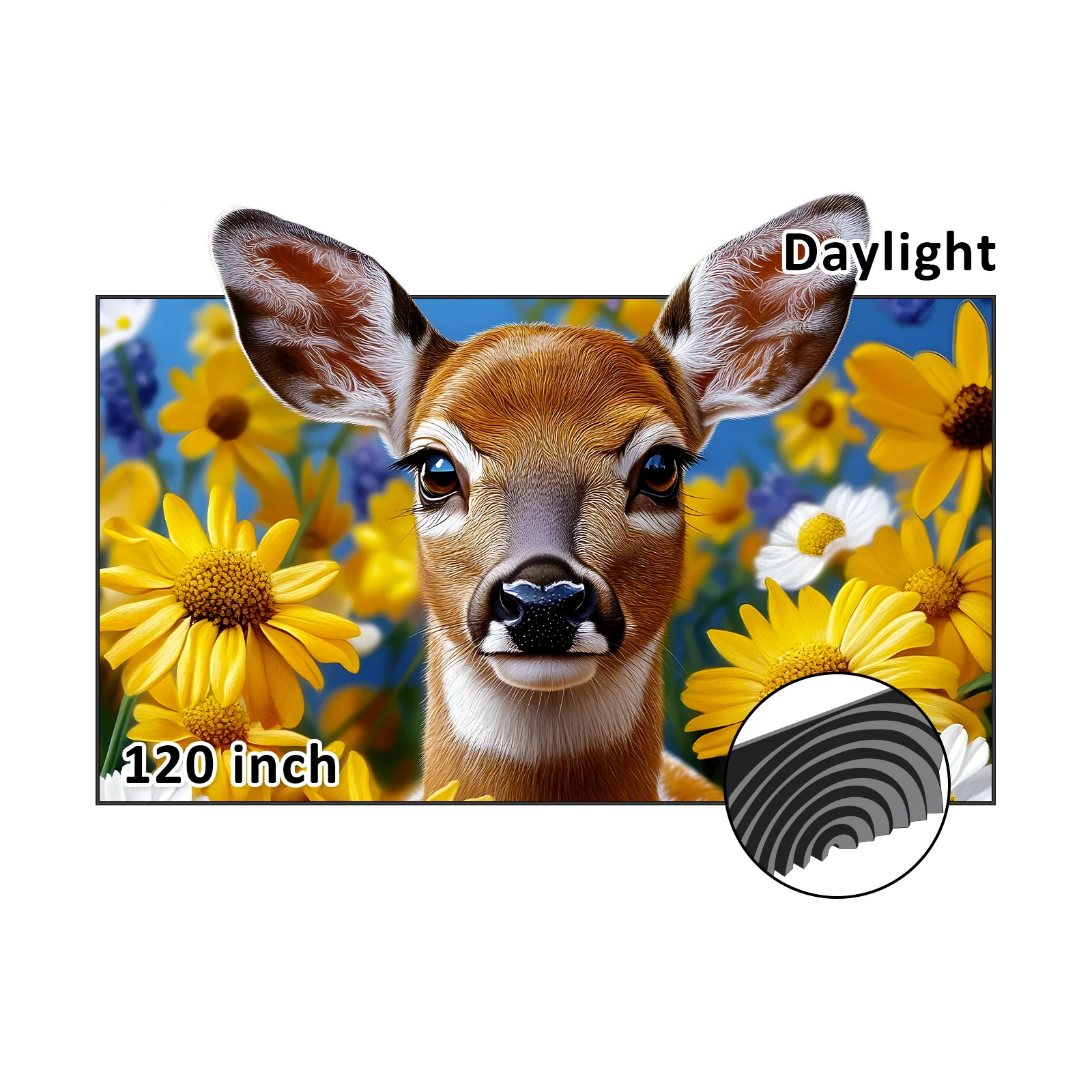
Best UST Screen for Daytime Viewing: NexiGo 120" Daylight Fresnel Screen
The best UST projector screen for watching during the day is the NexiGo Daylight Fresnel screen, because:
High screen gain preserves brightness and contrast in daylight
Fresnel ALR properties block ambient light from all directions
Fresnel screens offer the best color accuracy in bright rooms
Best UST Screen for Large Screen Size: NexiGo 150" ALR Fresnel Screen
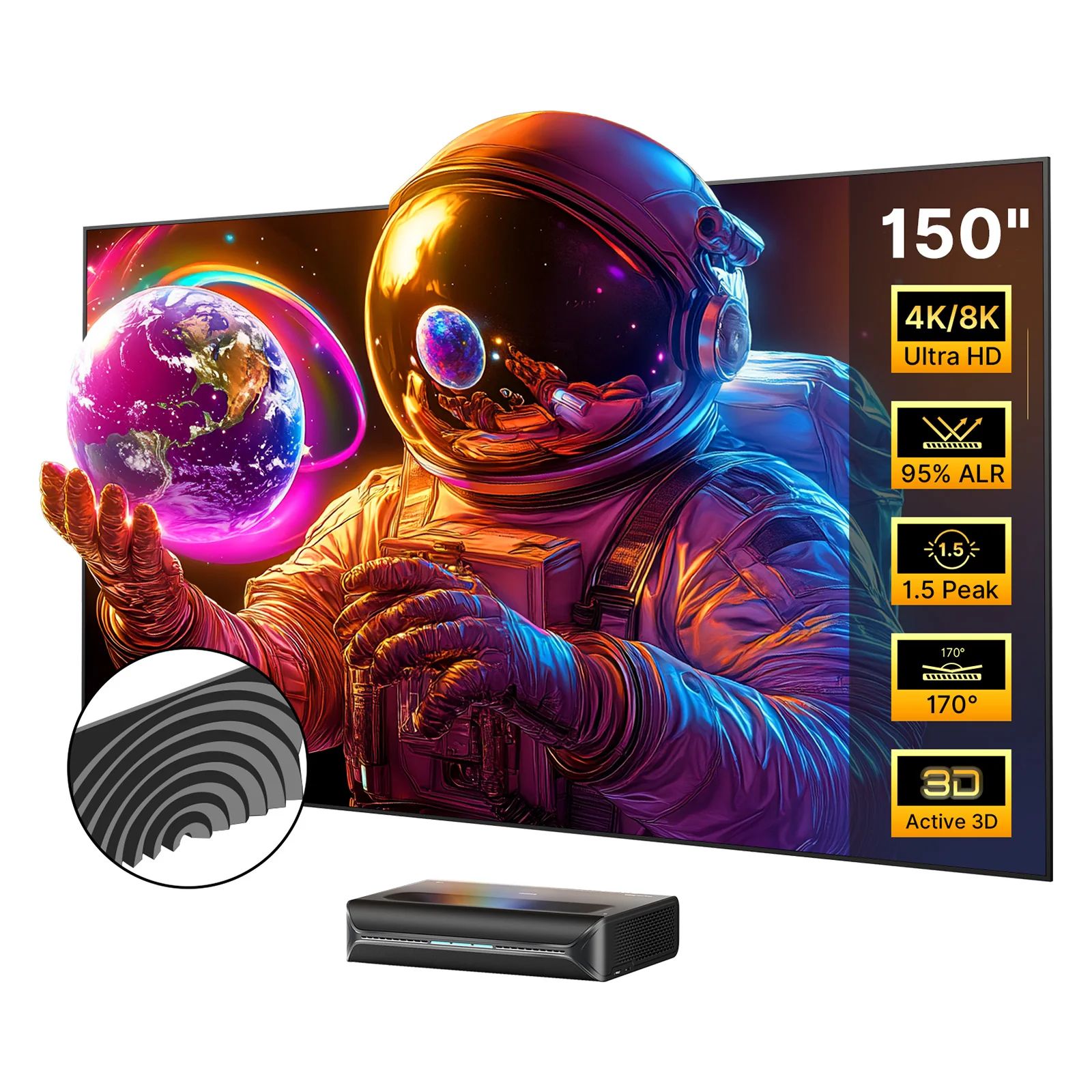
If you have a lot of space and you value screen size, the best UST projector for your needs is the NexiGo 150" ALR Fresnel Screen, because:
The huge 150" screen size enhances immersion by filling your whole field of view
It blocks ambient light from all directions to increase contrast
Fresnel screens offer the best color and brightness, regardless of lighting
Best UST Screen for Saving Space: NexiGo 120" Floor Rising Screen
If you want to save on wall space, or you don't want to have to drill into your studs to mount a screen, the NexiGo 120" Floor Rising Screen is the best option, because:
Automatically raises when you turn on your projector and lowers when you're done
Adjustable height means that you can watch movies in wider aspect ratios without the black bars
Blocks ceiling light to increase contrast and deepen shadows
Final Thoughts
A great projector deserves a great screen. Choosing the right screen isn’t an accessory decision — it’s a core part of the system. With modern Fresnel technology and projectors like the NexiGo Aurora Pro MKII, you no longer have to trade brightness for image quality. The right pairing delivers the best of both worlds.
Frequently Asked Questions
What type of screen is best for a UST projector?
Our system combines speed, flexibility, and powerful automation tools into one seamless workflow designed for modern teams.
What’s the difference between ALR, CLR, Fresnel, and lenticular screen types?
Our system combines speed, flexibility, and powerful automation tools into one seamless workflow designed for modern teams.
What is the biggest Fresnel ALR screen?
Our system combines speed, flexibility, and powerful automation tools into one seamless workflow designed for modern teams.
How long does setup take?
Our system combines speed, flexibility, and powerful automation tools into one seamless workflow designed for modern teams.
Do you need a screen for a UST projector?
Our system combines speed, flexibility, and powerful automation tools into one seamless workflow designed for modern teams.